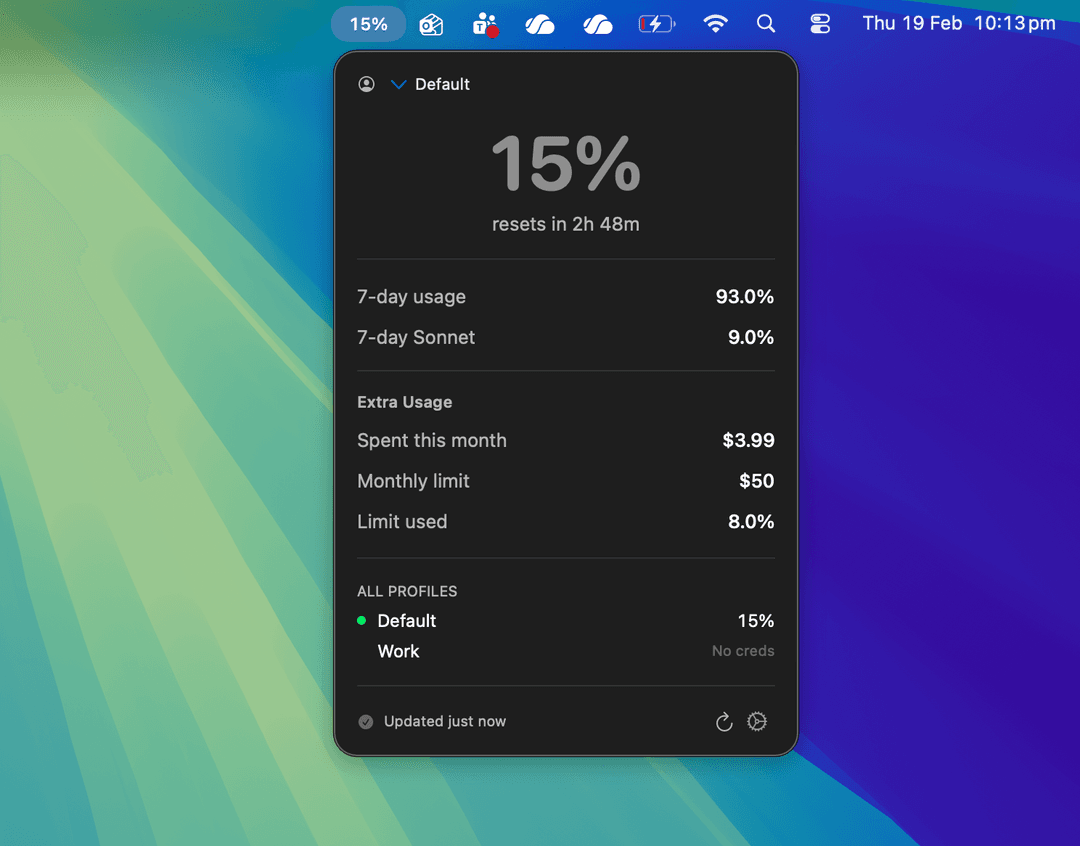
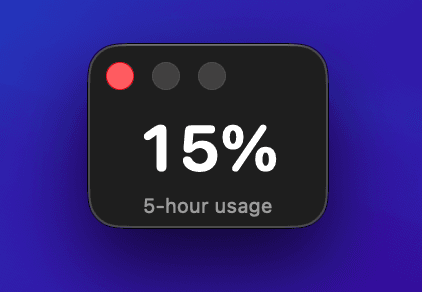
Tokemon floats on your screen showing Claude usage in real-time. Track session limits, weekly utilization, burn rate, project costs, and team budgets — all from your menu bar.

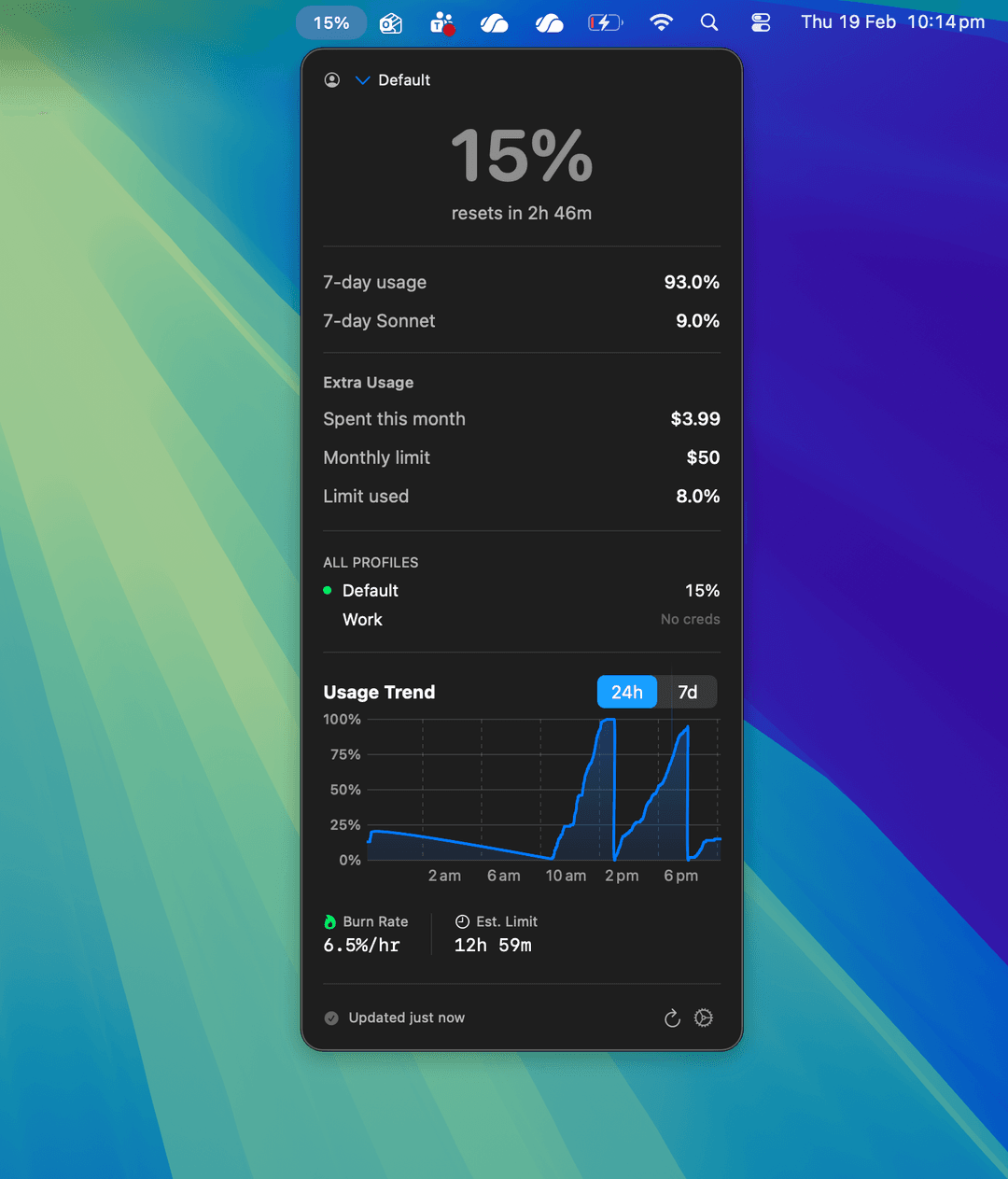
A compact floating window that stays on top of everything — fullscreen videos, browsers, your IDE. No clicking, no switching.


Claude rate limits reset on a rolling window. Without visibility into your usage trend, you’re flying blind — burning through tokens with no idea when you’ll hit the wall.
Tokemon charts your usage over 24 hours and 7 days, calculates your burn rate per hour, and estimates exactly when you’ll hit your limit at the current pace.

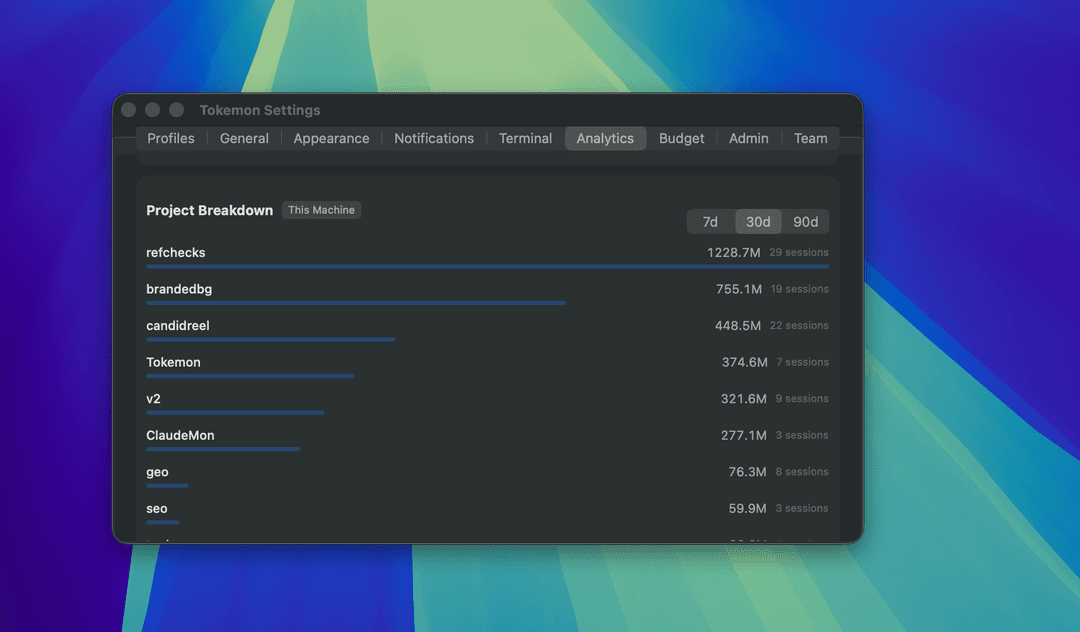
If you’re billing clients for token usage or managing a budget across projects, you need to know where tokens are going. Manually tracking this is impossible.
Tokemon parses your local session logs and breaks down token usage by project — showing exactly how many tokens each codebase consumed over 7, 30, or 90 days.

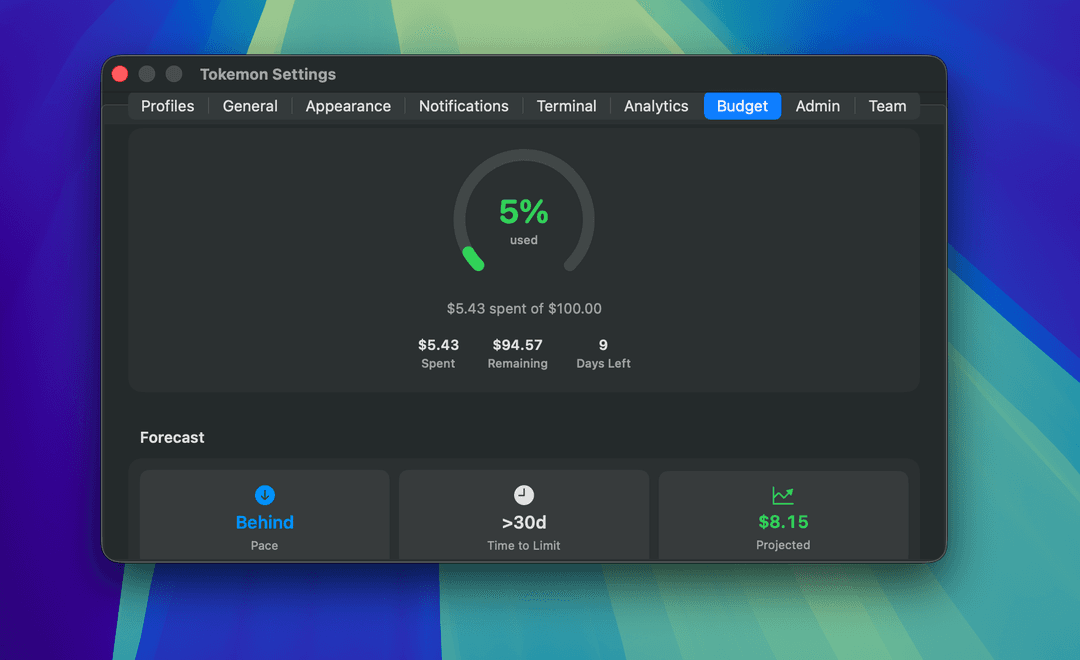
You’ve set a monthly budget but have no idea how much has been spent, what the daily run rate is, or whether you’ll blow past the limit before month-end.
Connect your Admin API key and Tokemon gives you a real-time budget gauge — dollars spent, days remaining, and a forecast that tells you if you’re on pace or heading for an overage.

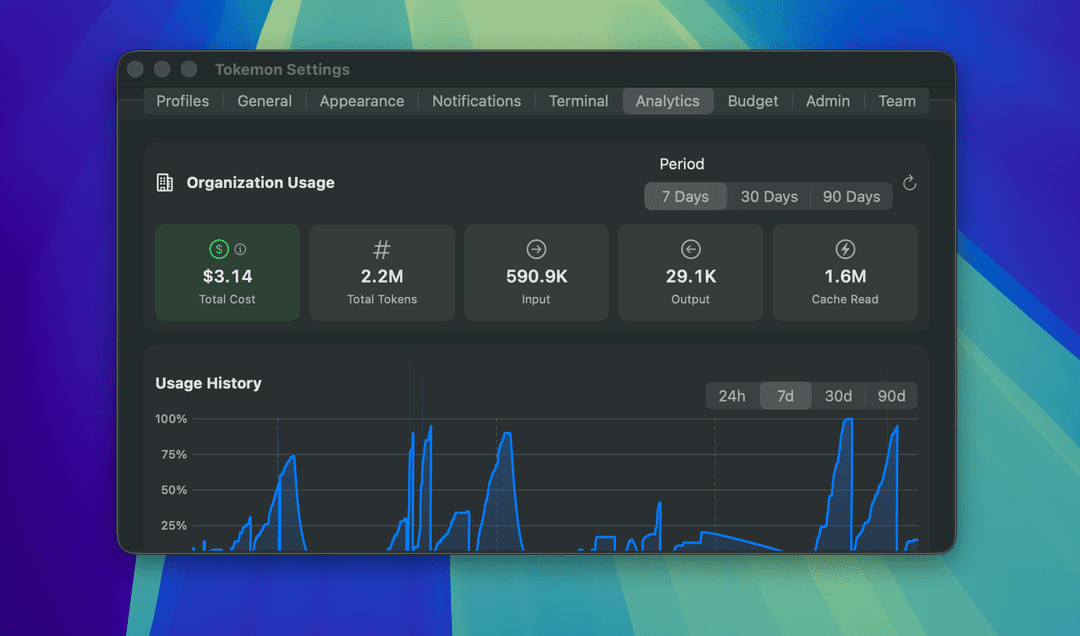
Managing a team’s Claude usage shouldn’t require digging through billing dashboards. You need a quick view of total cost, total tokens, and usage patterns across your organization.
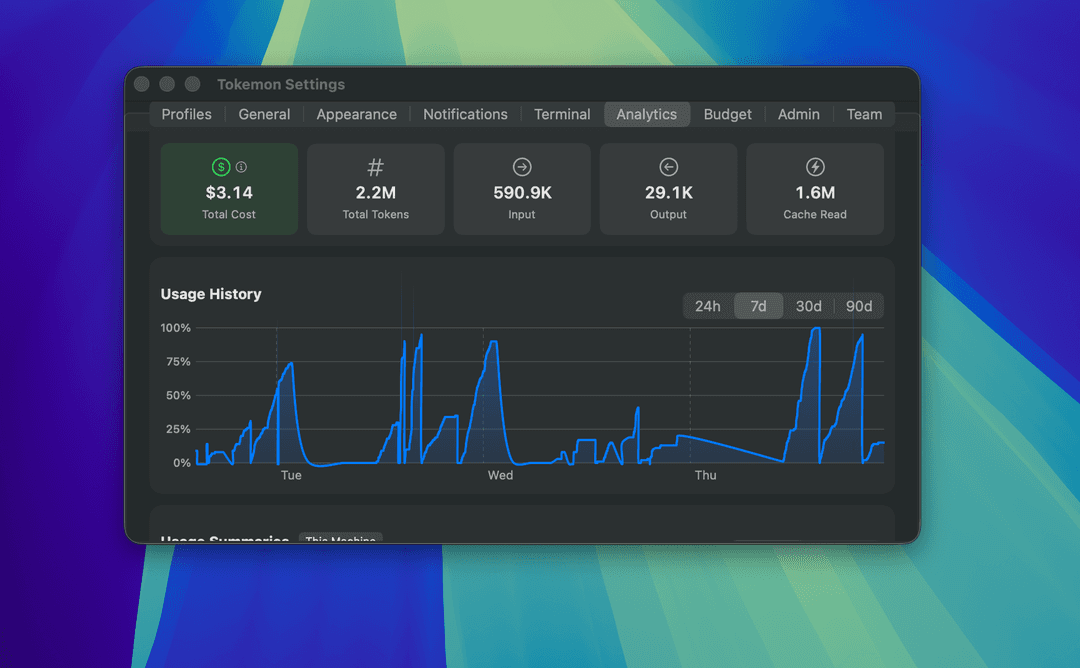
Tokemon connects to the Admin API and surfaces organization-wide analytics — total cost, input/output tokens, cache usage, and a usage history chart spanning 7 to 90 days.

“We used a lot of tokens” doesn’t cut it. You need real data in a format people can read — whether you’re a freelancer billing clients or a team lead reporting to management.
Tokemon exports your usage data as PDF reports or CSV files. Per-project breakdowns, date-range summaries, cost data — everything formatted and ready to attach to an invoice or share in a meeting.

Webhook notifications before you hit limits. Set thresholds at 50%, 70%, 90% — get a ping in your team channel, not a surprise in your IDE.
Live in the terminal? Export usage to your shell prompt via ~/.tokemon/statusline. One-click zsh/bash setup with ANSI color coding.
Filter analytics by 24h, 7 days, 30 days, or 90 days. See how your usage patterns change over time and identify high-consumption periods.
Manage personal and work accounts with independent credentials and alert thresholds. Switch between profiles instantly.
Percentage, battery, progress bar, icon + bar, or compact number. Optional monochrome mode to match native macOS styling.
Native macOS (follows system), Light, or Dark with warm orange accents. Your choice across every window and panel.
Free, open source, no account needed. Just install and go.